Sample approval workflow · Updated 27 July 2026
How to Photograph a Desk Power Module Sample for Remote Approval
Direct answer: A useful desk power module sample photo set should prove identity, visible condition, supplied parts, furniture fit and the exact configuration received. Start with one complete overview, then photograph every interface, cable and plug, mounting part, label, visible finish and installed position. Add a scale reference where size matters, keep the original files, and connect every image to the sample model, date and drawing revision.
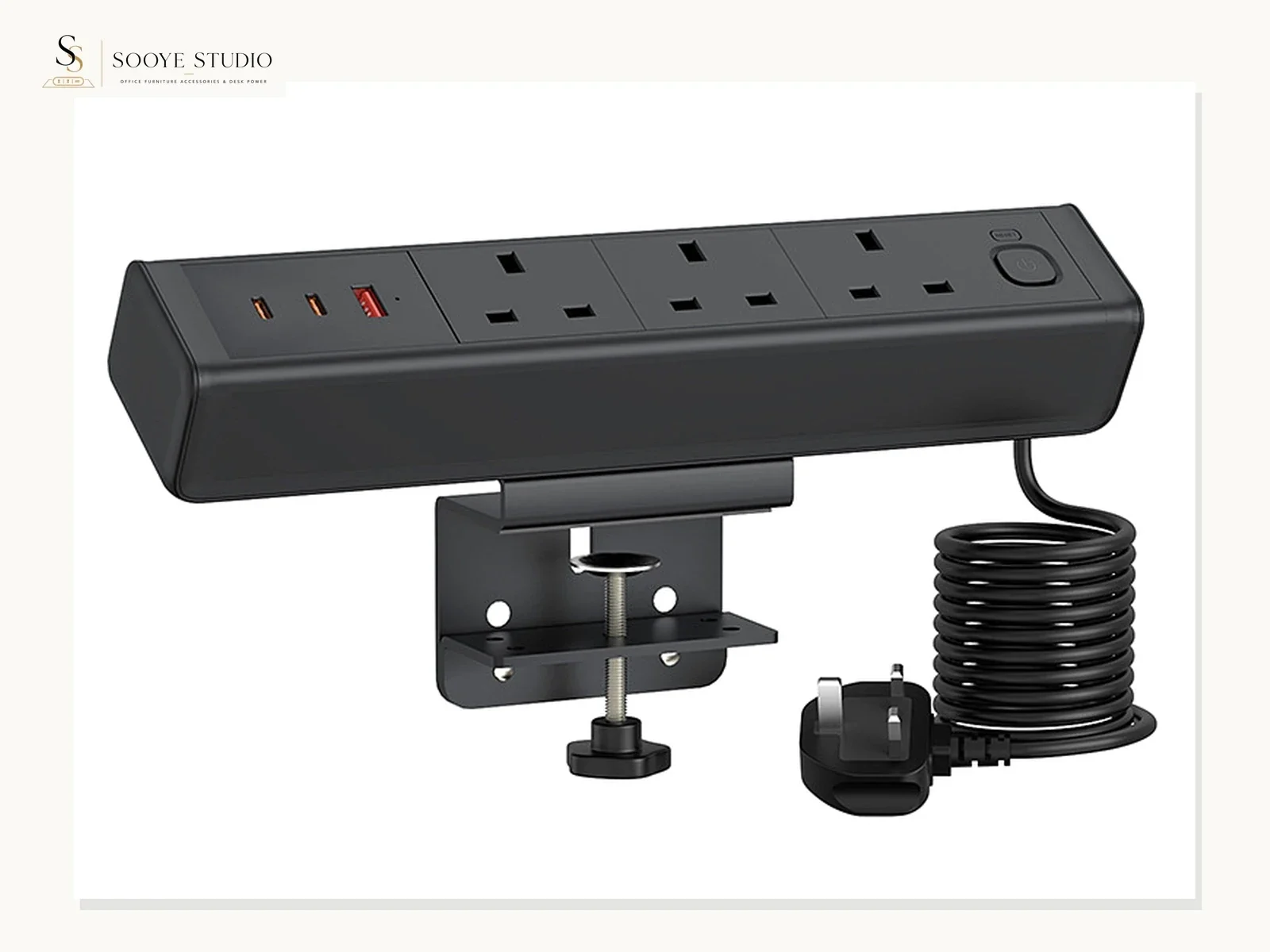
Why a remote approval photo set needs a plan
Remote sample approval often fails because the buyer and supplier are looking at different questions. A supplier may send an attractive front view while the buyer needs to check cable exit, desk-edge clearance or the exact plug supplied. A buyer may approve the appearance but never record which drawing, finish or port arrangement the sample represents.
The solution is not “more photos” by itself. The solution is a controlled evidence set in which every image has a job. The set should help a buyer answer five practical questions:
- Identity: Is this the exact model or approved configuration under review?
- Completeness: Are the module, cable, plug, fasteners and mounting parts visible?
- Visible quality: Are finish, gaps, edges, labels and obvious damage recorded clearly?
- Furniture fit: Can the sample be assembled on a representative desk, table or panel?
- Decision traceability: Can another person understand what was accepted, rejected or left open?
Prepare the evidence record before taking photographs
Create a short cover record before the first image. This prevents an otherwise good photo set from becoming anonymous after it is shared by email, messaging apps or a project folder.
| Record field | What to enter | Control rule |
|---|---|---|
| Sample reference | Supplier sample reference, current formal model when confirmed, or a provisional project reference | Do not convert a provisional reference into a formal model without approval |
| Configuration | Visible interface arrangement, finish, cable, plug and mounting method received | Describe only what the sample shows; do not generalise to every order |
| Destination | Country or intended market under review | Destination is an RFQ input, not proof of compliance |
| Drawing reference | Drawing number, revision and date when available | Photographs and written approval should reference the same revision |
| Received date | Date the sample was received and inspected | Use one date format across the project |
| Inspector | Company role or responsible reviewer | Avoid placing unnecessary personal information in public files |
The 12-photo minimum evidence sequence
The exact number can change by product, but the sequence below gives office furniture manufacturers, distributors and project buyers a practical baseline. Use additional images whenever the mounting method, cable routing or interface layout needs more explanation.
| Shot | Required view | Buyer question answered |
|---|---|---|
| 01 | Package as received, before opening | Was there visible transport damage or missing package identification? |
| 02 | All supplied items arranged together | Which module, cable, plug, fasteners and mounting parts were included? |
| 03 | Front or top overview | What is the visible interface arrangement and finish? |
| 04 | Rear or underside overview | Where are cable exits, fixings, labels and installation constraints? |
| 05 | Left side | Are profile, seams and projecting parts visible? |
| 06 | Right side | Does the opposite side reveal different controls, exits or fixings? |
| 07 | Every interface in a straight-on view | Can the buyer identify the received socket and port layout without perspective distortion? |
| 08 | Cable and plug close-up | Which visible cable and plug were supplied with this sample? |
| 09 | Mounting parts and contact surfaces | What touches the furniture and what must be checked for marking or interference? |
| 10 | Label and marking close-up | What model or configuration information is physically present on this sample? |
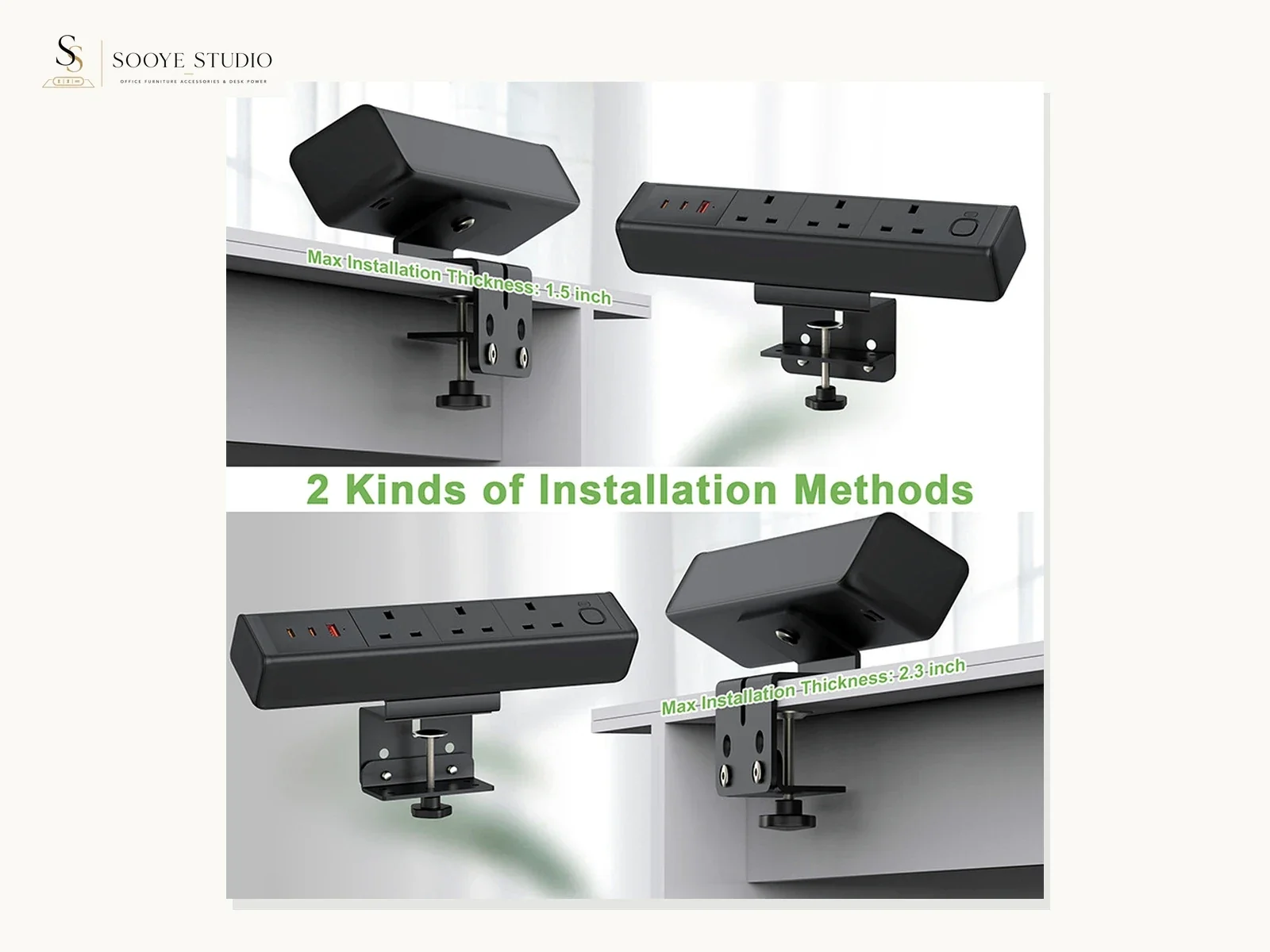
| 11 | Installed overview on a representative assembly | How does the sample sit in or on the intended furniture? |
| 12 | Installed underside, side or service-access view | Can installers reach fixings and can the cable exit without interference? |
Photograph the product, not the photographer’s assumptions
Use neutral language in filenames, captions and inspection records. A photograph can support “one USB-C-shaped interface is visible on the received sample.” It cannot by itself support an unverified charging protocol, output rating or certification claim. A scene photograph can show a potential application context, but it cannot prove a completed hotel or office project.
Safe evidence language
- “Visible on the sample received”
- “To be checked against the approved drawing”
- “Representative furniture-fit test”
- “Configuration requires written confirmation”
Language that needs separate proof
- “Certified for the destination market”
- “Guaranteed charging performance”
- “Fits every desk thickness”
- “Approved hotel project product”
Control lighting, background and scale
Use diffuse light and a plain background for identification views. Avoid hard reflections that hide surface condition, especially on black, white or metallic finishes. Keep the camera square to the interface panel when recording port sequence. If a dimension is relevant, include a calibrated ruler or scale and photograph it in the same plane as the measured feature.
- Clean the product and the test furniture before photographing.
- Do not use filters that alter colour, texture or visible defects.
- Keep original-resolution files; create compressed copies only for sharing.
- Use a colour or finish reference when appearance approval is important.
- Photograph any gap, scratch, loose part or mismatch both in context and close-up.
- Do not digitally add or remove ports, plugs, cables, labels or mounting parts.
Show furniture fit with a representative test assembly
A product can look correct on a white background and still conflict with a desk frame, cable tray, drawer, panel edge or service-access requirement. Photograph the test assembly before installation, during installation and after installation. Record the desk or panel thickness, cutout or edge geometry, underside obstructions and the tools used.
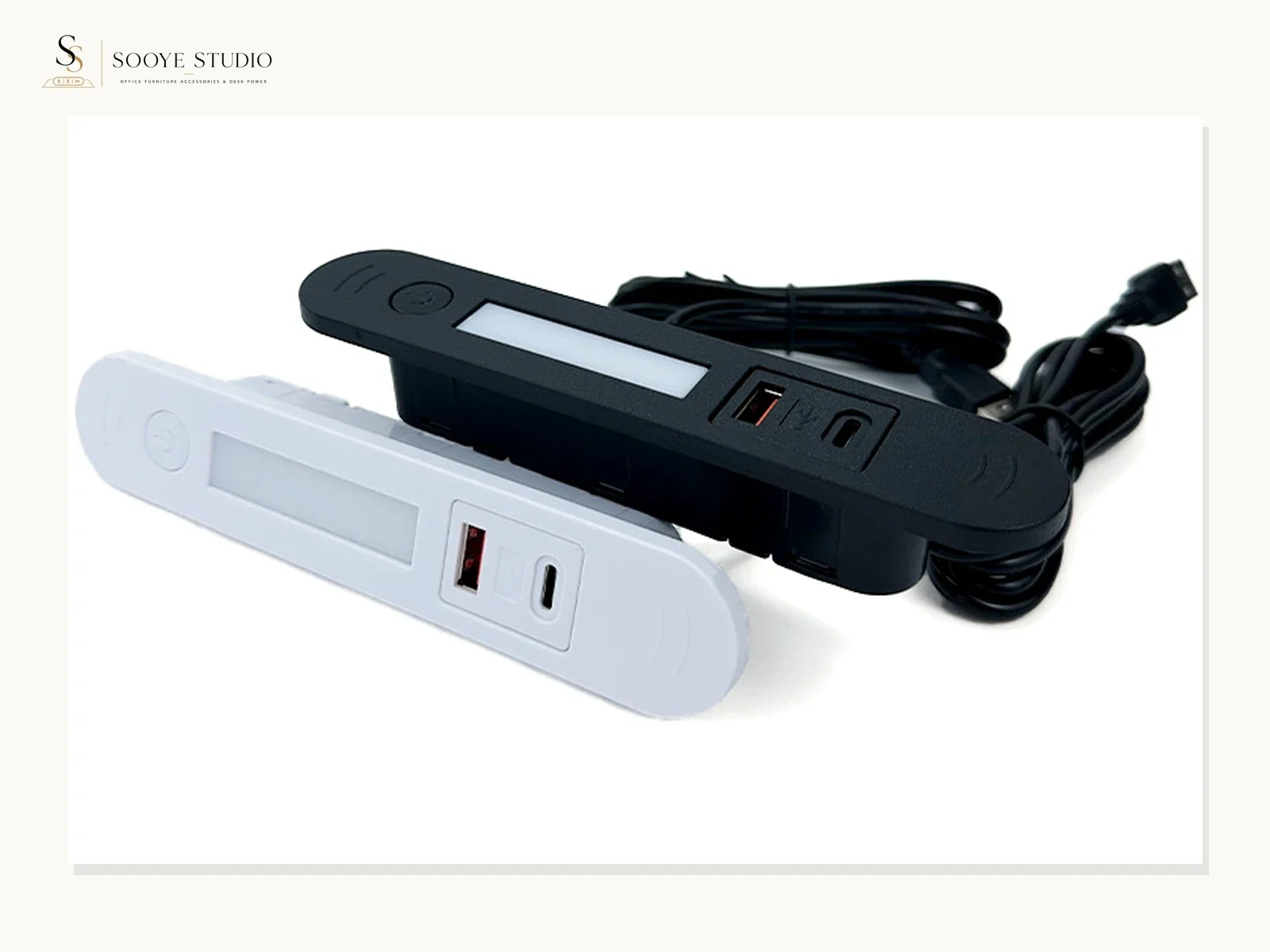
For a clamp-on module, show the contact pads, screw or adjustment path and cable clearance. For a recessed module, show the opening, seating surface, underside fixing and cable exit. For a pop-up or moving product, record closed, open and service-access positions without making unverified cycle-life or safety claims.
Name files so the evidence survives forwarding
A practical filename pattern is:
PROJECT_SAMPLE-MODEL_CONFIG_DATE_SHOT-NUMBER_DESCRIPTION.jpg
For example, a project may use ACME_SAMPLE-02_BLACK_2026-07-27_07_PORT-LAYOUT.jpg. The reference can be provisional, but the cover record must say so. Avoid filenames such as IMG_4372.jpg or final-final-new.jpg, because they cannot be traced reliably after revision.
Turn the photo set into an approval decision
The approval record should not contain only “OK.” It should separate accepted evidence, open questions and required corrections. This distinction matters when the sample is later used as the visual reference for a quotation, packaging review or bulk inspection.
| Status | Use it when | Required next action |
|---|---|---|
| Accepted for this configuration | Identity, visible finish, assembly fit and supplied parts meet the recorded requirement | Reference the sample and drawing in the written order record |
| Accepted with open items | The sample can progress, but documents, labels, packaging or another issue remains unresolved | List every open item with an owner and due date |
| Revision required | A defined mismatch can be corrected and reviewed again | Issue the revised requirement and request replacement evidence |
| Rejected | The sample does not meet a critical recorded requirement | State the failed checkpoint and do not reuse the sample as an approved reference |
What Sooye Studio can confirm at the sample stage
Paid samples are available for Sooye Studio’s current formal models, and sample freight is paid by the buyer. The exact sample configuration, availability, price, preparation time and shipping arrangement should be confirmed for the selected model in writing. MOQ differs by product category and configuration; it is not inferred from a sample request. Standard production lead time is not published because it must be confirmed against the order details.
If a buyer requires OEM, ODM, private label or a moulded configuration, the requested scope should be stated in the RFQ. Feasibility, quantity, tooling, configuration, artwork, documents and commercial terms are confirmed by model and order. A photograph is supporting evidence inside that process, not a replacement for the written configuration record.
Copy this remote sample photography brief
- Identify the sample, configuration, drawing revision, date and reviewer.
- Photograph unopened packaging and all supplied components.
- Capture six-sided product views and straight-on interface views.
- Record labels, cable, plug, mounting parts and furniture contact areas.
- Install the sample on a representative furniture assembly.
- Photograph fit, underside access, cable routing and any interference.
- Record defects or mismatches in context and close-up.
- Issue an approval status with open items and next actions.
- Keep original files and connect the approval to the written RFQ or order record.
Continue from visual evidence to RFQ
Use the current product page as the model-specific public source, then add destination, furniture, quantity, sample, packaging and document requirements through the inquiry path. The next useful step is not to collect more generic photos; it is to close the specific evidence gaps for the intended configuration.
Desk socket sample testing checklist
Review current models
Office power modules
Prepare an RFQ
Send Sooye Studio the current model or product image, intended destination, furniture drawing, requested configuration and sample quantity. We will separate what can be confirmed now from what requires model- and order-specific written review.
Editorial basis: Sooye Studio’s confirmed paid-sample and written-configuration workflow. Product images show current product references; they do not establish universal specifications or destination compliance.